If you have lost your SNGPL bill or didn’t receive it this month, don’t worry. You can easily check, download, and print your SNGPL bill online in just a few seconds. No need to visit SNGPL office or call helpline.
What You Need Before You Start
- Consumer Number (found on any old SNGPL bill)
- Internet connection
- A mobile phone or computer
Check Your SNGPL Bill Now
Click the button below to open the official SNGPL bill page:
How to Check SNGPL Bill Online (Step-by-Step)
Step 1: Visit Official SNGPL Bill Site
Go to the official SNGPL bill checking portal:
https://www.sngpl.com.pk/web/

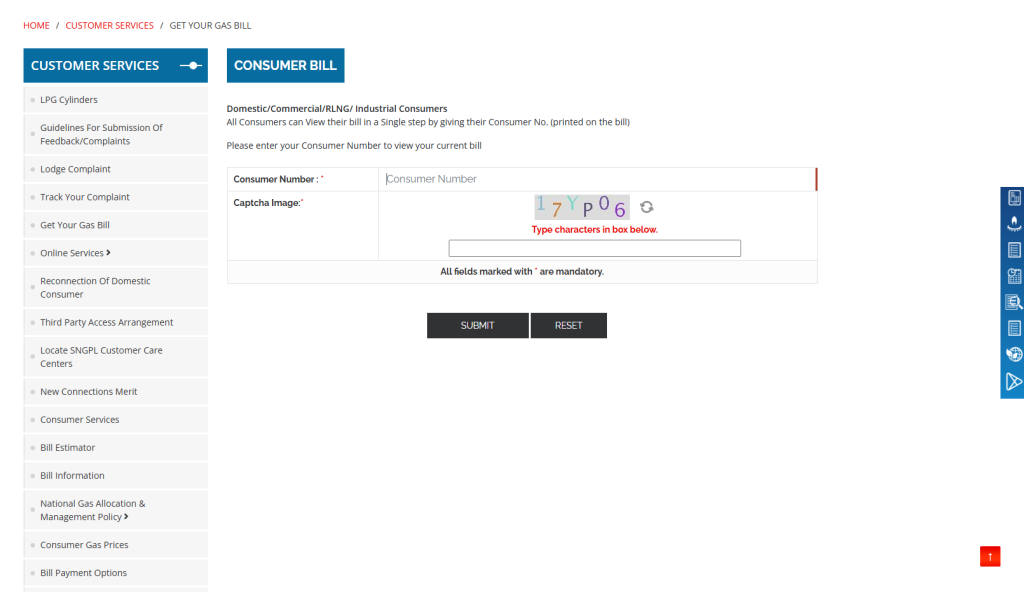
Step 2: Enter Consumer Number
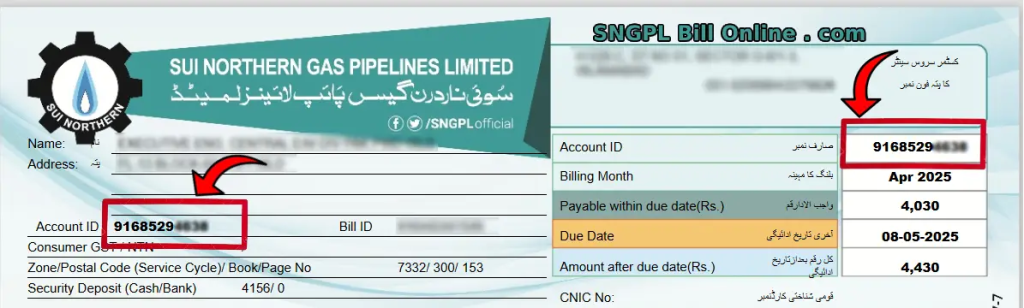
Type your 11-digit Consumer Number into the input box (without spaces or dashes).
Step 3: View Your Bill
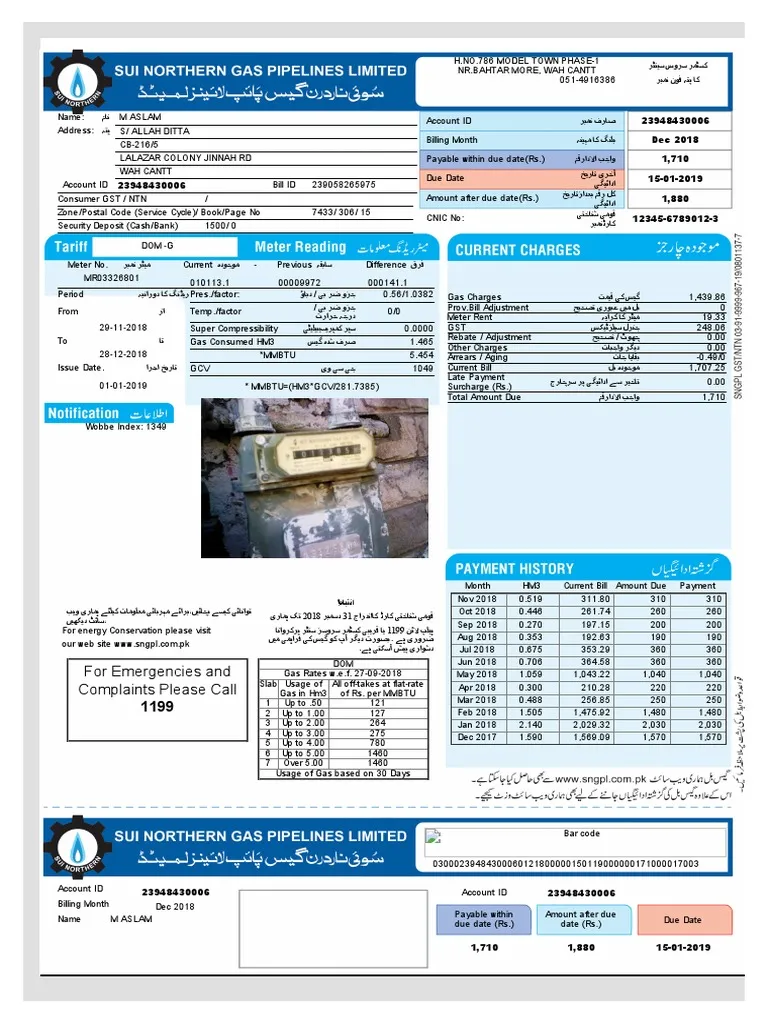
Click “Submit” and your latest gas bill will appear on the screen instantly.
Step 4: Download or Print
You can now download the bill in PDF or print it directly for record or payment purposes.
Benefits of Checking SNGPL Bill Online
- No more delays in receiving physical bills
- Easy access from home anytime
- Useful for payment reference or tracking gas usage
- Reduces the chances of missing due dates
How to Pay Your SNGPL Bill Online
Once you’ve checked your SNGPL bill online, the next step is payment. You can pay your gas bill through various online platforms like JazzCash, Easypaisa, or mobile banking apps of major Pakistani banks.
Just open the app, go to the “Bill Payment” section, select “SNGPL,” and enter your consumer number. The bill amount will appear instantly. Confirm and pay. This process saves time and avoids long queues at banks.
Read More About: How to Check PTCL Bill Online in Pakistan (2025 Guide)
Frequently Asked Questions
Q1: Can I check my SNGPL bill Online without the consumer number?
No. The consumer number is required to access your gas bill online.
Q2: Is the SNGPL online bill valid for payment?
Yes. The digital copy is fully valid for bank or online payments.
Q3: Can I receive SNGPL bills on my mobile?
Yes. You can register for SMS or email alerts on the SNGPL website.
For more information comment below and visit pakhelp.pk & our Facebook Page Facebook.com/pakhelp.pk.